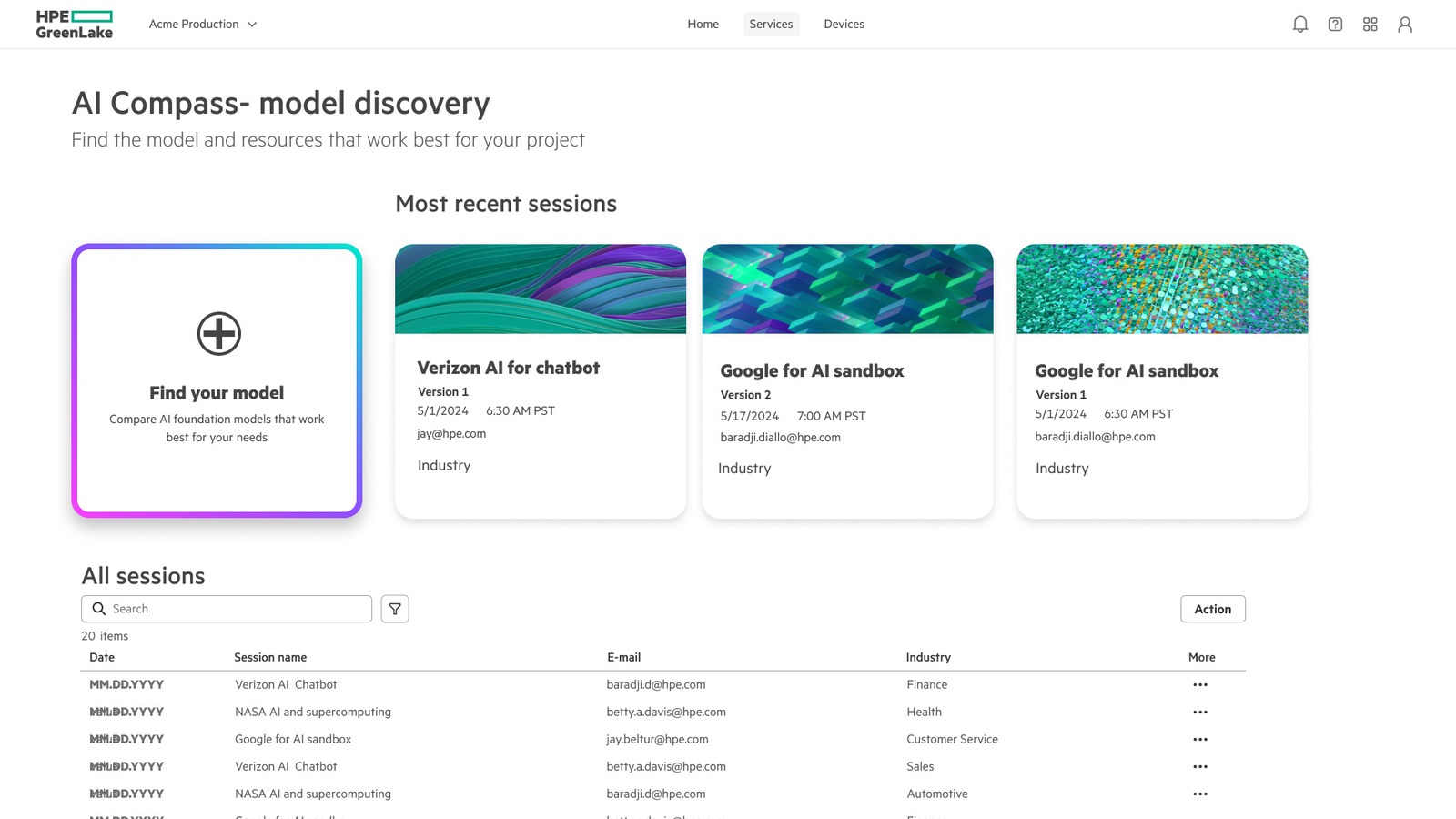
AI Compass: helping teams find the right foundation model
The number of AI foundation models keeps growing. AI Compass helps customers choose a "custom fit" model for their project and suggests the hardware best suited to run it.
Problem
There is an overflow of AI foundation models, and it is constantly growing. Teams evaluating them have no straightforward way to tell which model actually fits their use case, or what hardware they would need to run it well.
Process
- 1
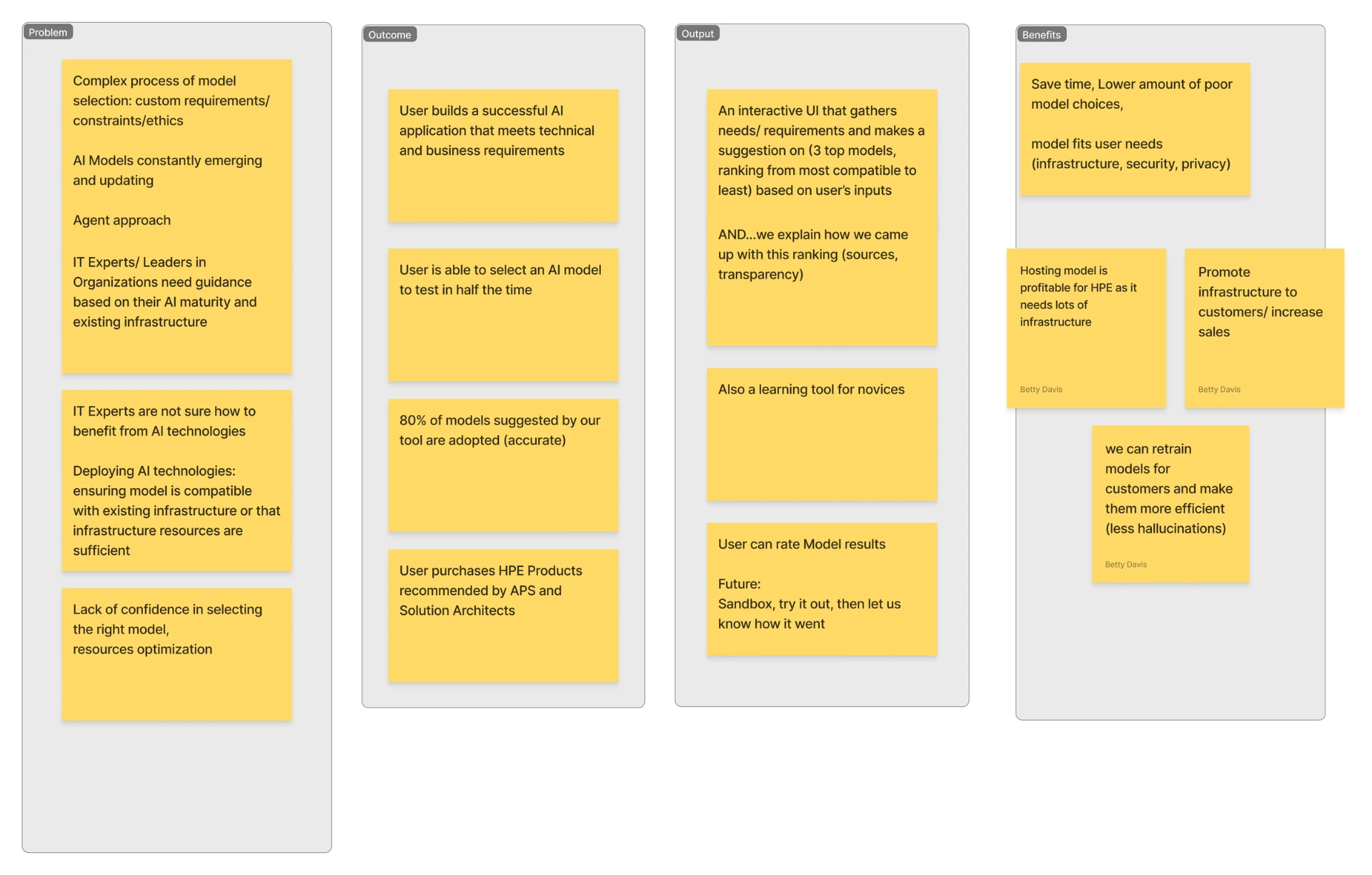
Framed the problem with the Innovation Lab team facilitating mini-workshops using Lean UX: framing the problem, the outcome, the output, hypothesis and assumptions first, then the smallest thing worth testing.
- 2
Sketched lo-fi screens for model discovery and comparison, including a sessions model so exploration could be saved and revisited.
- 3
Ran user research with internal and customer-facing teams to understand how models get shortlisted in practice.
- 4
Built prototypes of the compare-and-recommend flow and refined them against research feedback.
DEFINING THE PROBLEM, OUTCOME, OUTPUT, AND USERS
AI model selection is challenging- there is a need to balance requirements around model performance and accuracy with TCO ( Total Cost of Ownership) as well as considerations like governance, ethics, and compliance. HPE customers need guidance based on their AI maturity and existing infrastructure. There is a lack of confidence in selecting the right model in an ever-changing landscape. Our team learned that internal advisory teams have limited tools to make AI model recommendations for customers based on very specific customer needs. The initial user focus is on internal users: Advisory and Professional Services/ Solution Architects/Pre-sales (expert users) and external users (novice users).
OUTCOMES
User is able to select an AI model to test in half the time. 80% of models suggested by our tool are adopted (accurate). User purchases HPE Products recommended by APS and Solution Architects. Serves as a learning and informative tool. Output An interactive UI that gathers use cases /requirements and makes a suggestion on (3 top models, ranking from most compatible to least) based on user’s inputs. We explain how we came up with this ranking (sources, transparency). Serves as a learning tool for novices. User can rate model results or in the future, test in sandbox UX artifacts for Phase 1 Prototype for testing. Engagement with UX Reserarch- feedback from external users/ validate problem. Learn and iterate with the team by facilitating collaboration sessions.
Section 2 heading placeholder
Paragraph placeholder — replace this with your own text for section 2.
Section 3 heading placeholder
Paragraph placeholder — replace this with your own text for section 3.
Section 4 heading placeholder
Paragraph placeholder — replace this with your own text for section 4.
Section 5 heading placeholder
Paragraph placeholder — replace this with your own text for section 5.
Section 6 heading placeholder
Paragraph placeholder — replace this with your own text for section 6.